

For scalpers: Stuck in chop? Discover expansion entries
Avoid overtrading by recognizing when momentum is ready to return →
Sale!
![[Abs] MEO #26: ICT PhantomTrace + King Order Block](https://renkokings.com/wp-content/uploads/king-order-block-ict-phantomtrace-gdfhsdcasdasfasgsdg.png)
[Abs] MEO #26: ICT PhantomTrace + King Order Block
Original price was: $1,100.$400Current price is: $400.
1 × ICT PhantomTrace
$550
Description
A structured ICT and Order Block workflow for NinjaTrader 8
ICT PhantomTrace + King Order Block combines 2 complementary views of the market: liquidity behavior through ICT concepts and Order Block structure on Renko charts.
Rather than treating either indicator as a standalone signal source, the strategy focuses on situations where a Fair Value Gap (FVG) and an Order Block develop near the same area. The trade signal then comes from the tool that completes the setup.
2 ways to identify the setup
The workflow can develop in 2 directions, depending on which market area appears first.
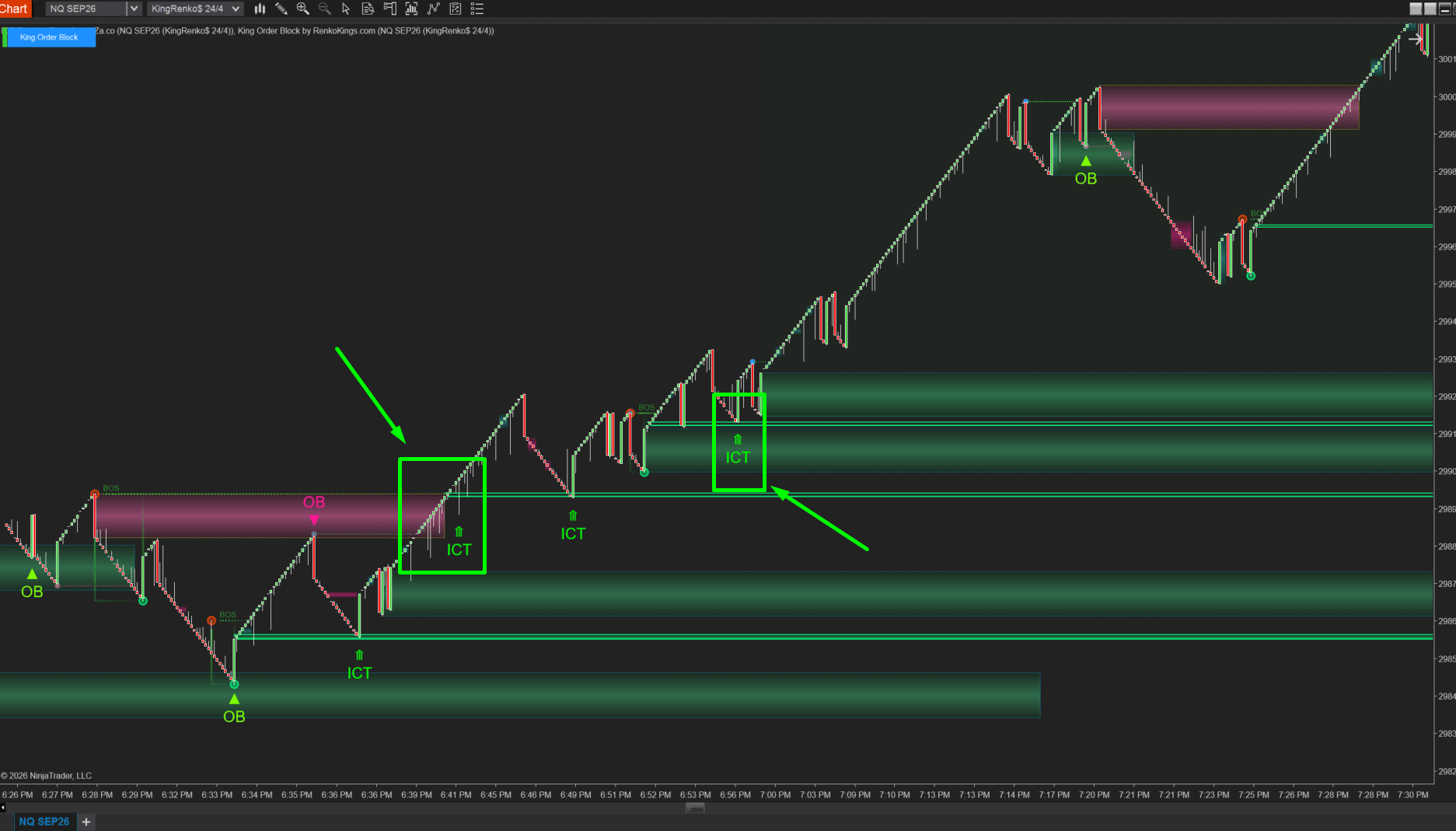
1. Order Block first, ICT confirmation second
Start by identifying an Order Block with King Order Block.
If an FVG from ICT PhantomTrace then develops near that Order Block, watch for the ICT signal to identify a potential entry.
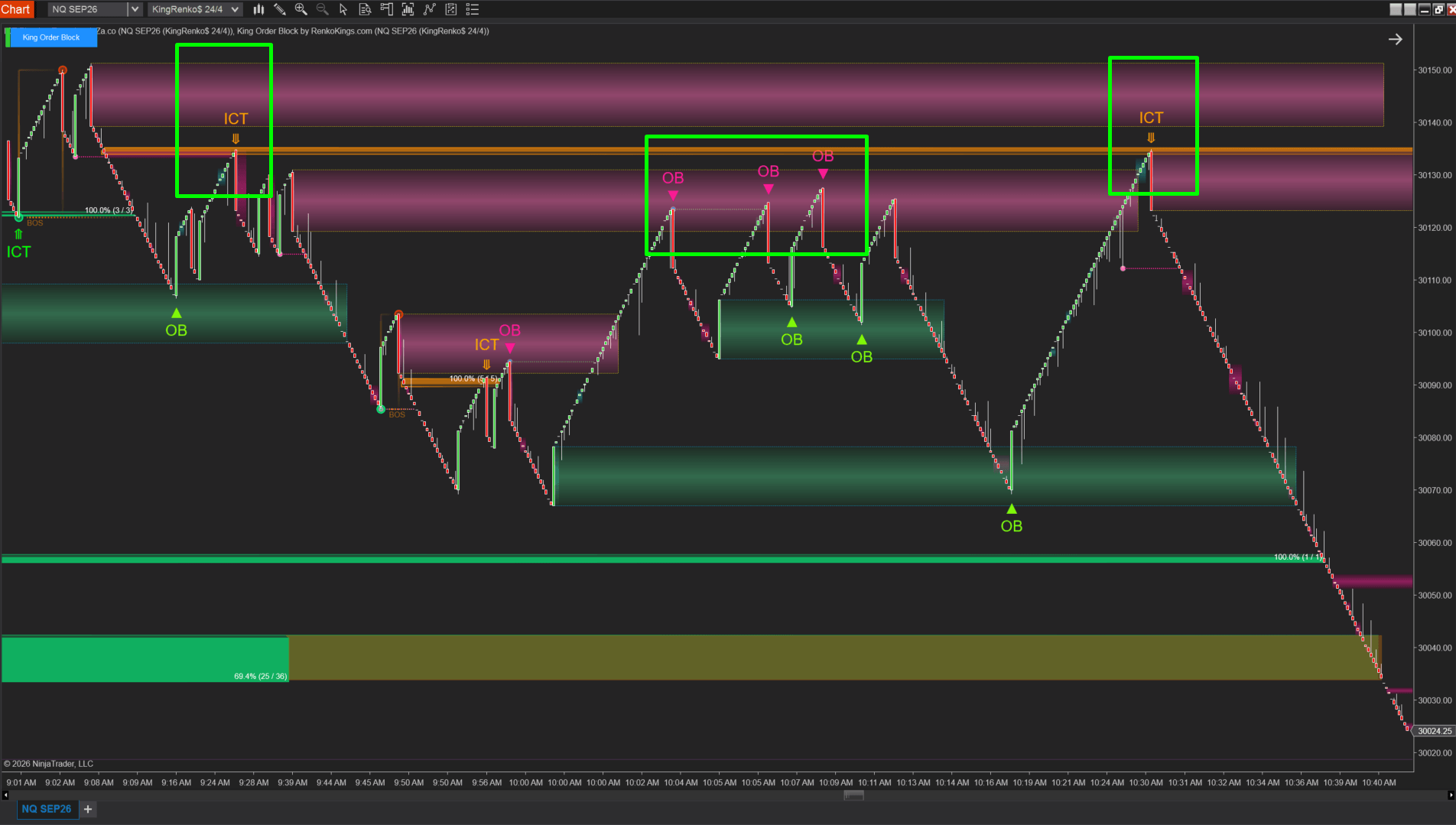
2. FVG first, Order Block confirmation second
When price approaches an FVG identified by ICT PhantomTrace, watch for a new Order Block from King Order Block in the same area.
If the Order Block setup develops, use the corresponding King Order Block signal to evaluate the potential entry.
The logic is simple: one tool defines the area first, while the second adds another layer of market structure before the setup is considered.
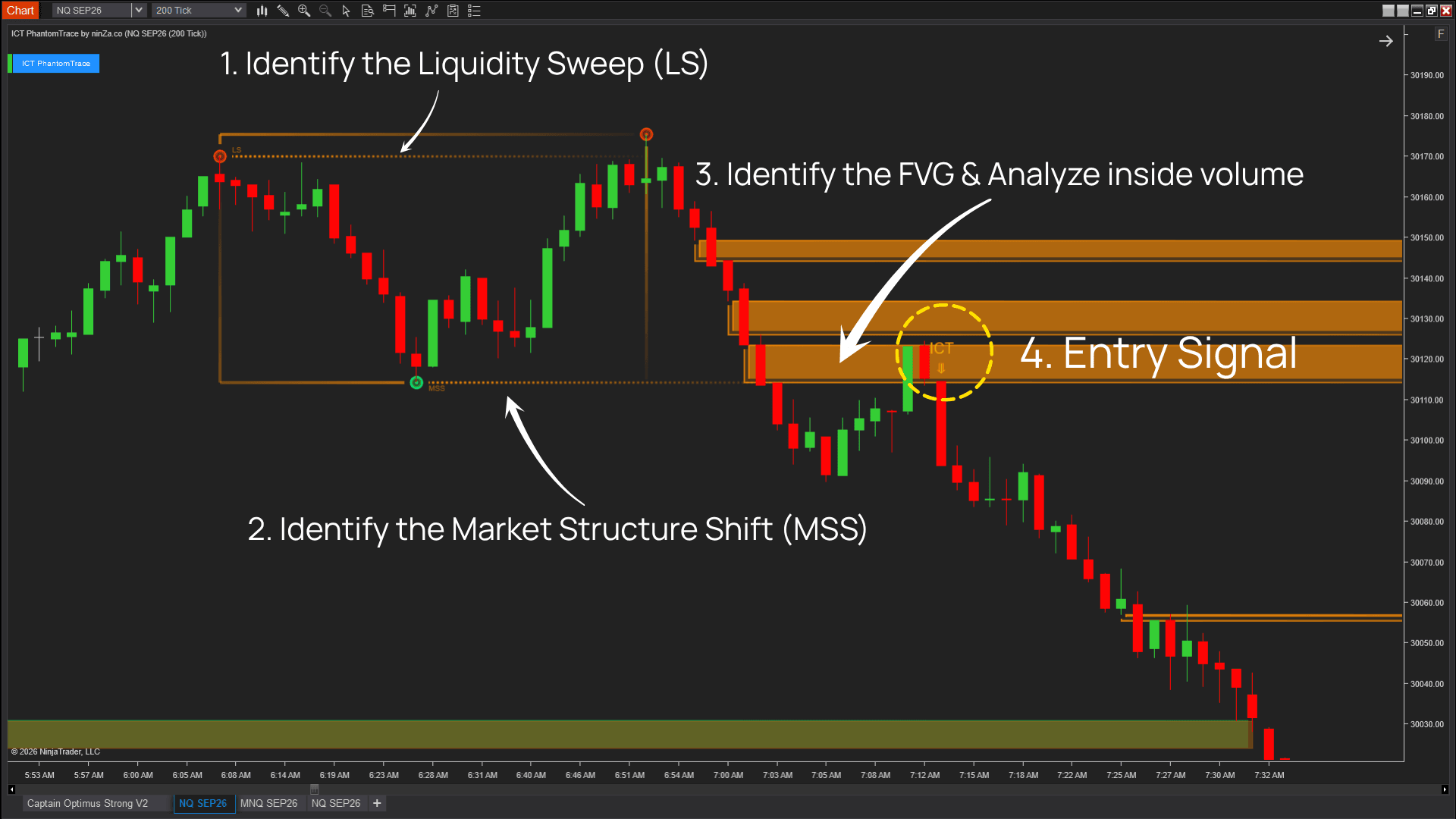
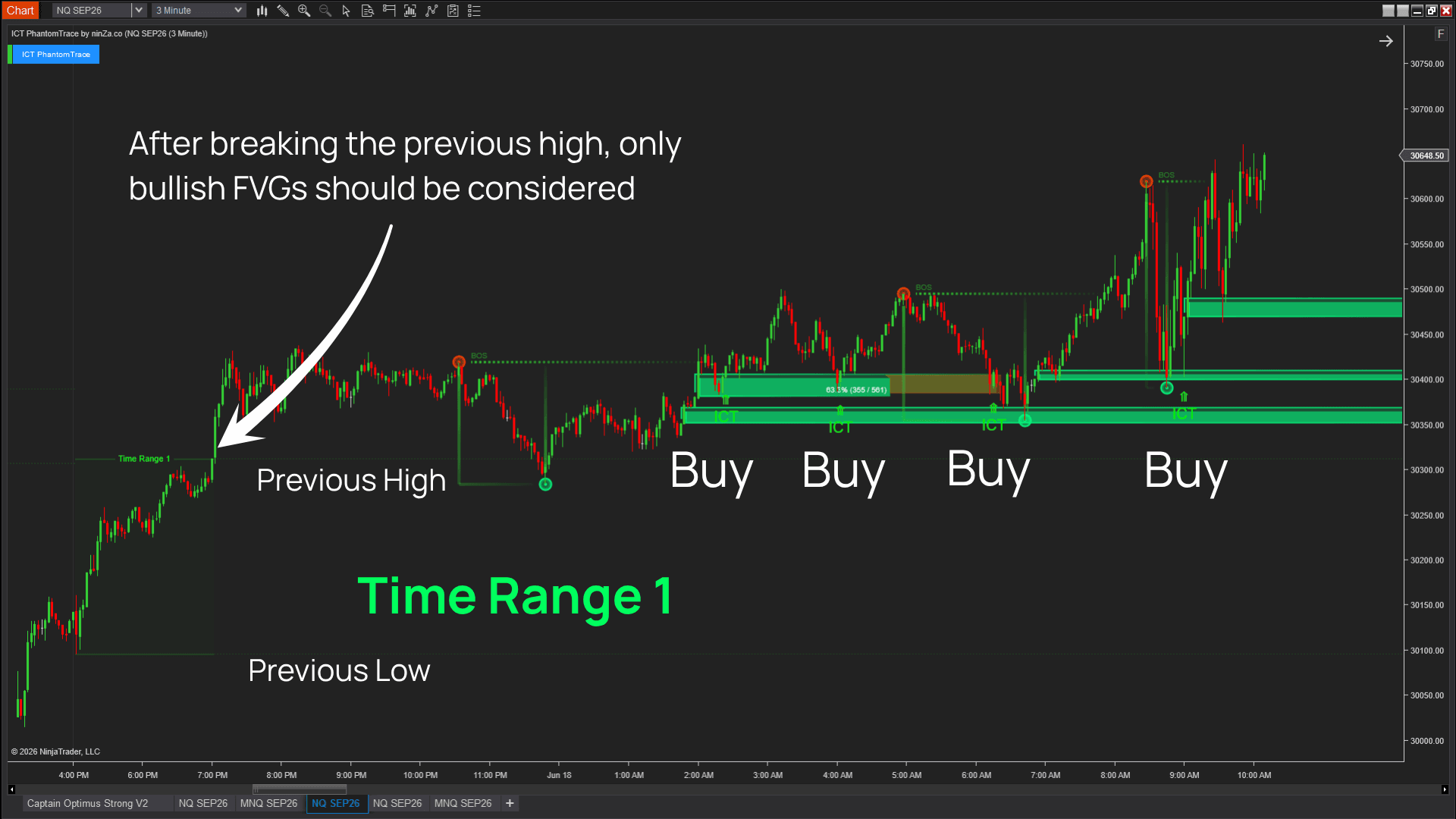
Liquidity context from ICT PhantomTrace
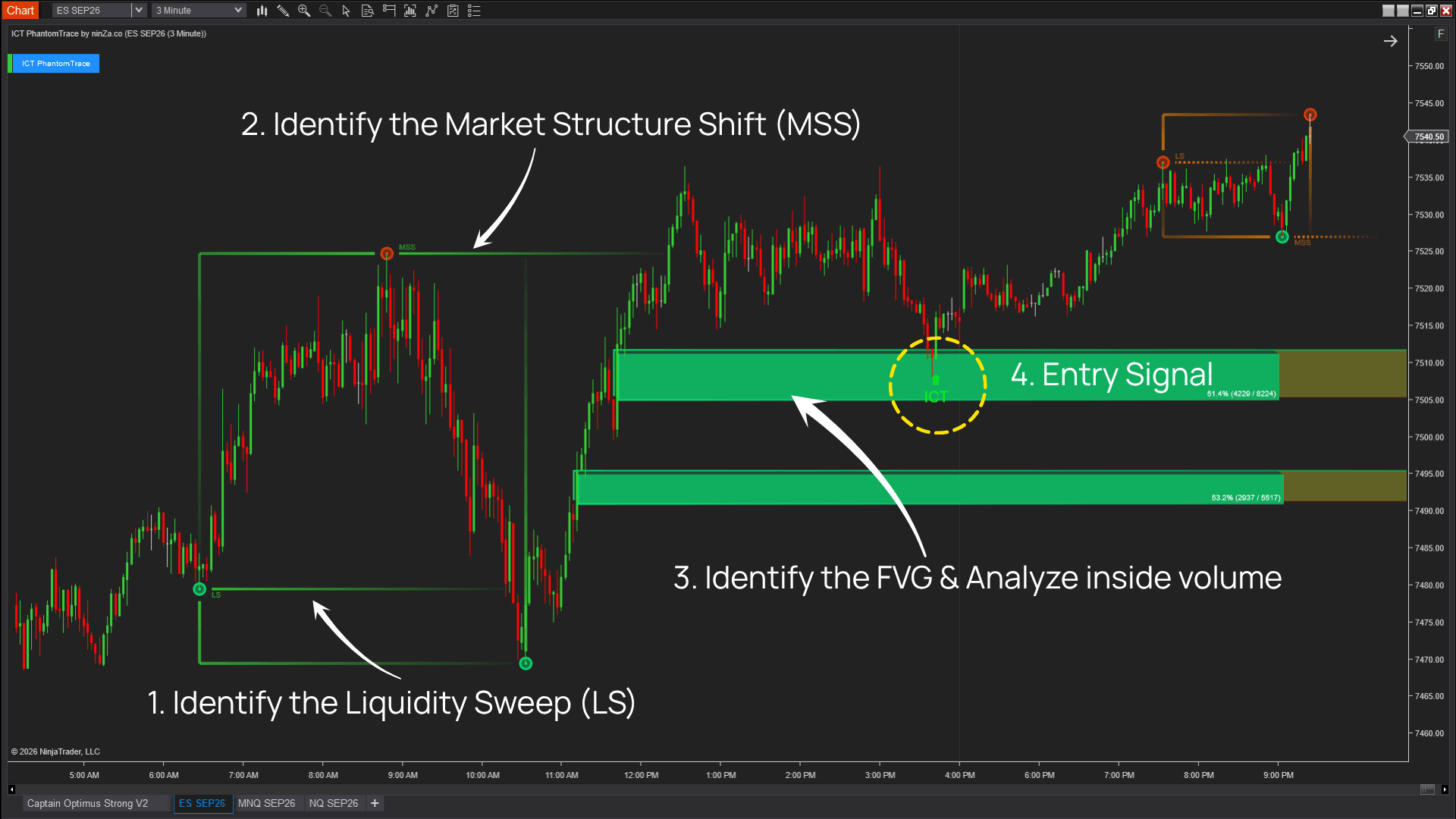
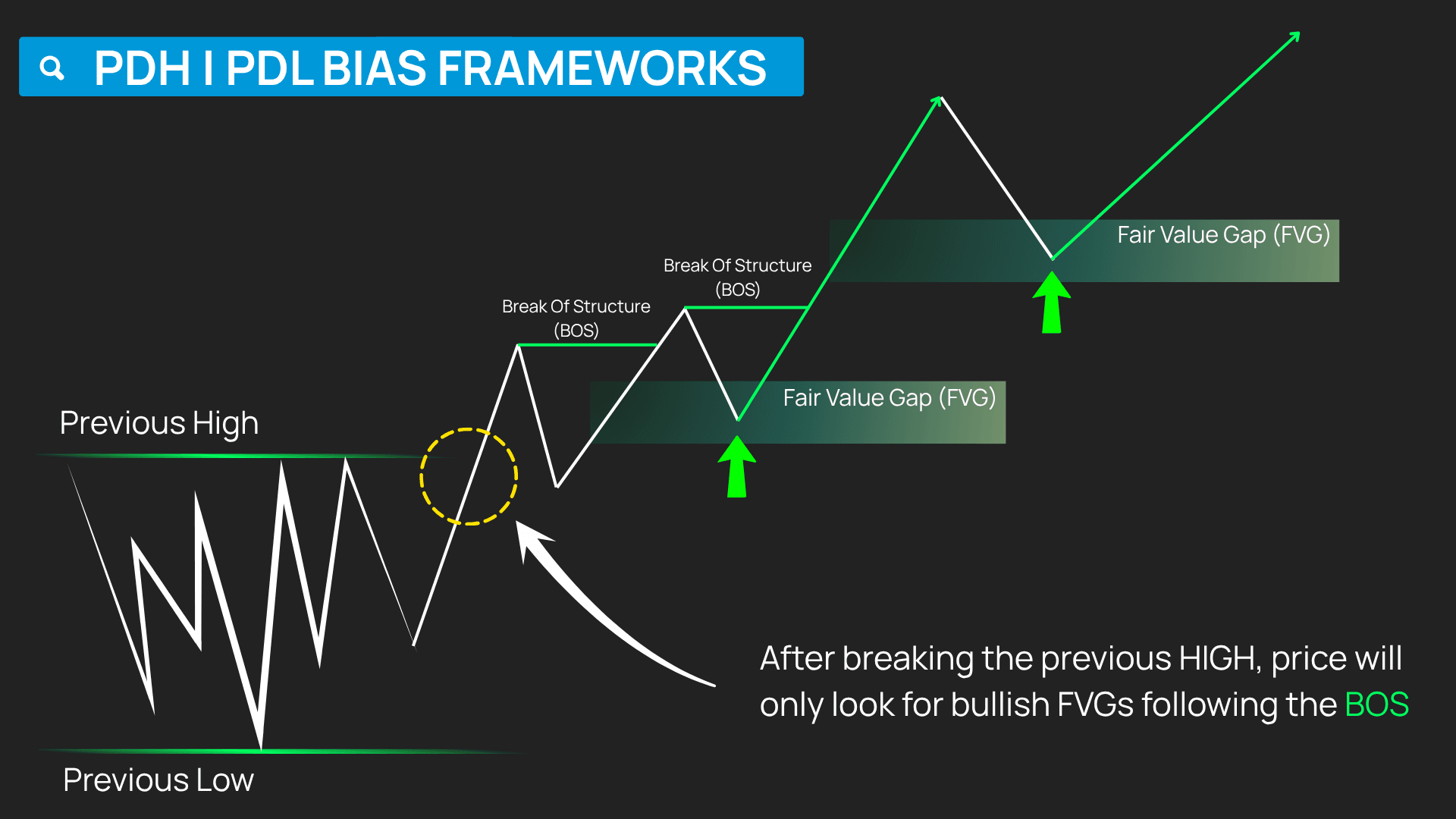
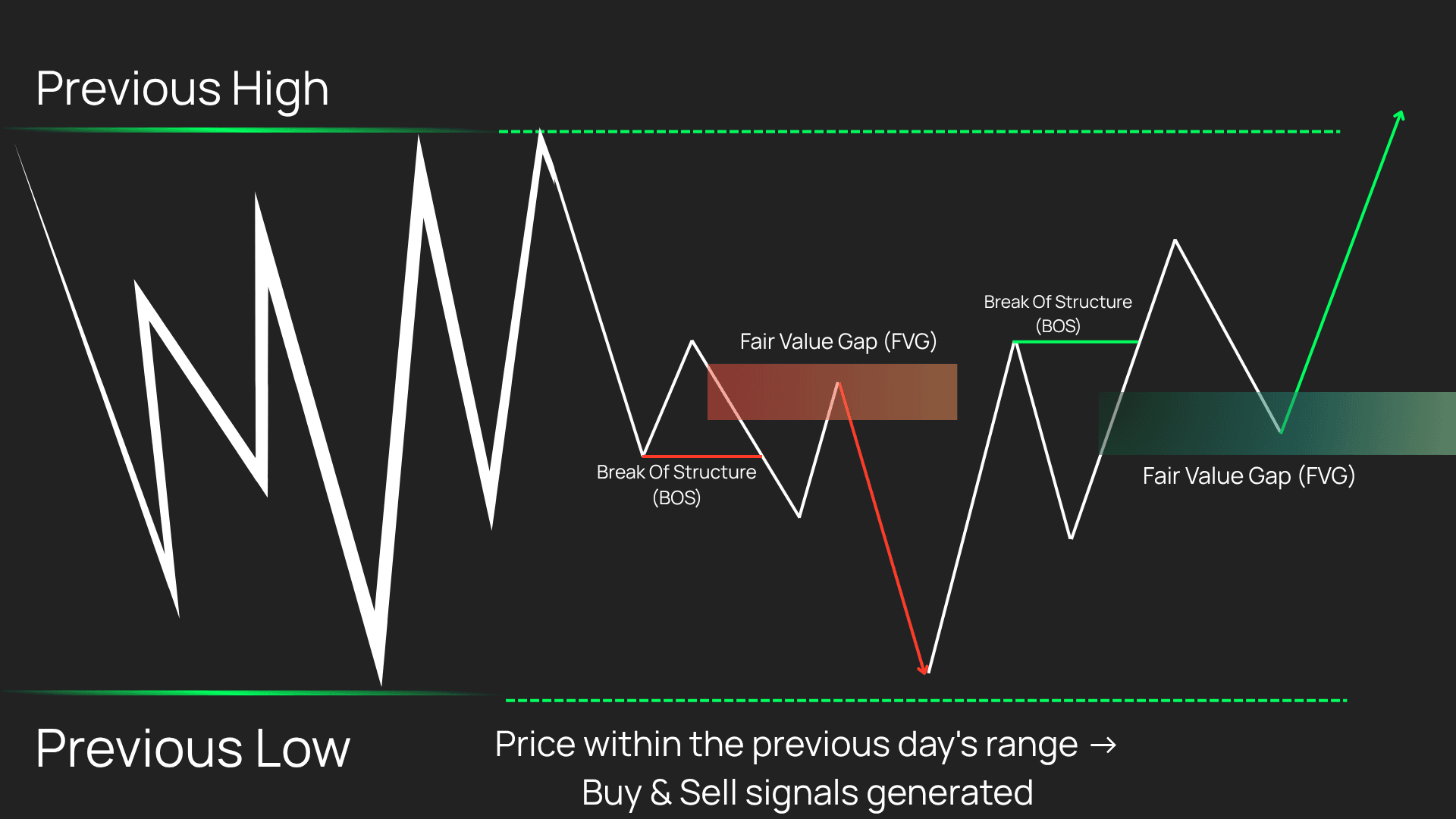
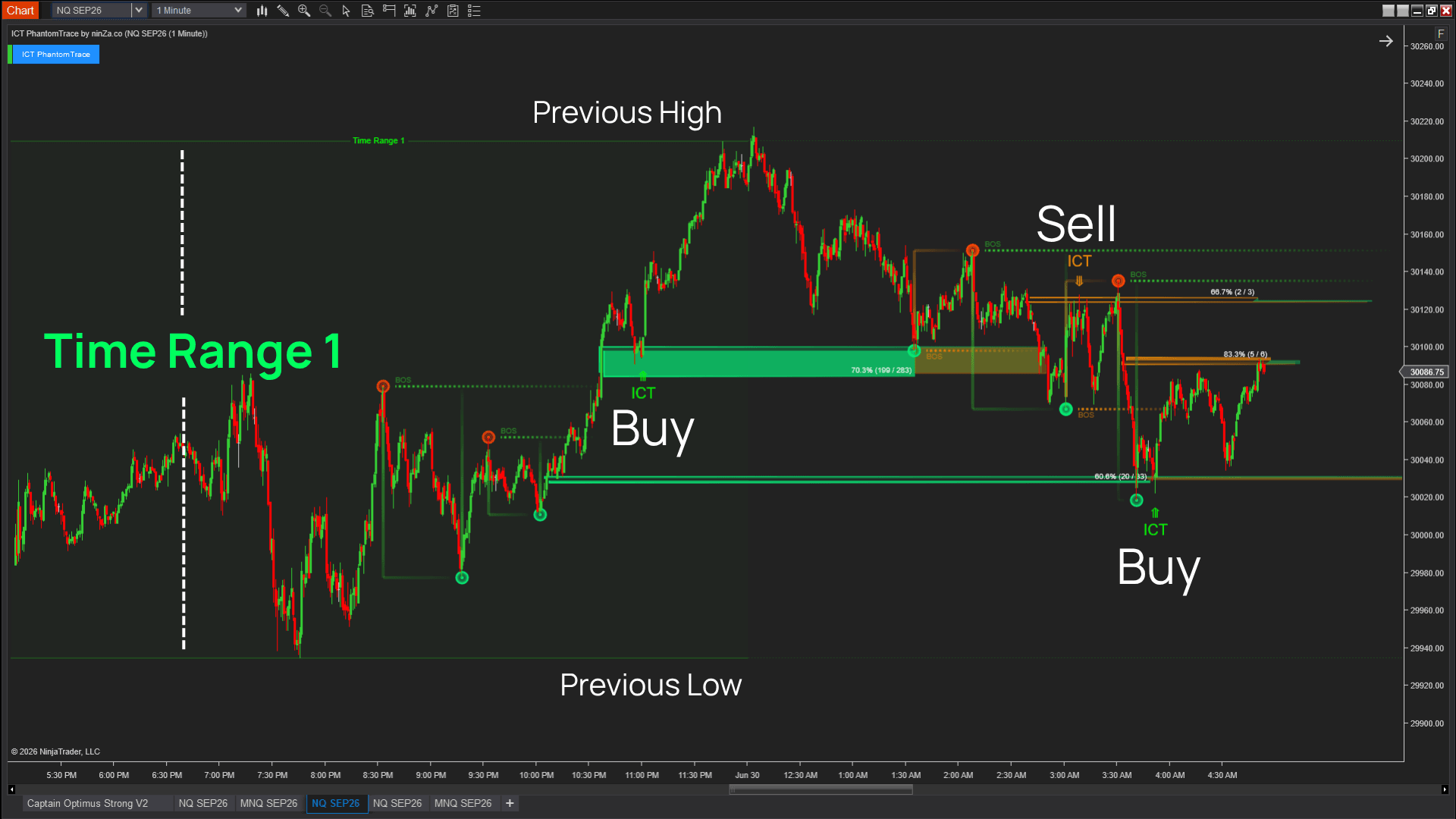
ICT PhantomTrace helps organize ICT concepts into a connected liquidity framework rather than requiring you to evaluate each concept separately.
For liquidity transitions, it tracks the sequence from Stop Run and Market Structure Shift (MSS) through Fair Value Gap formation, FVG retracement, and the Reaction Signal.
It also tracks liquidity continuation through PDH / PDL levels, liquidity bias, BOS filtering, FVGs, and reaction signals.
Within this strategy, that liquidity context helps you identify the FVG side of the setup and evaluate price behavior around it.
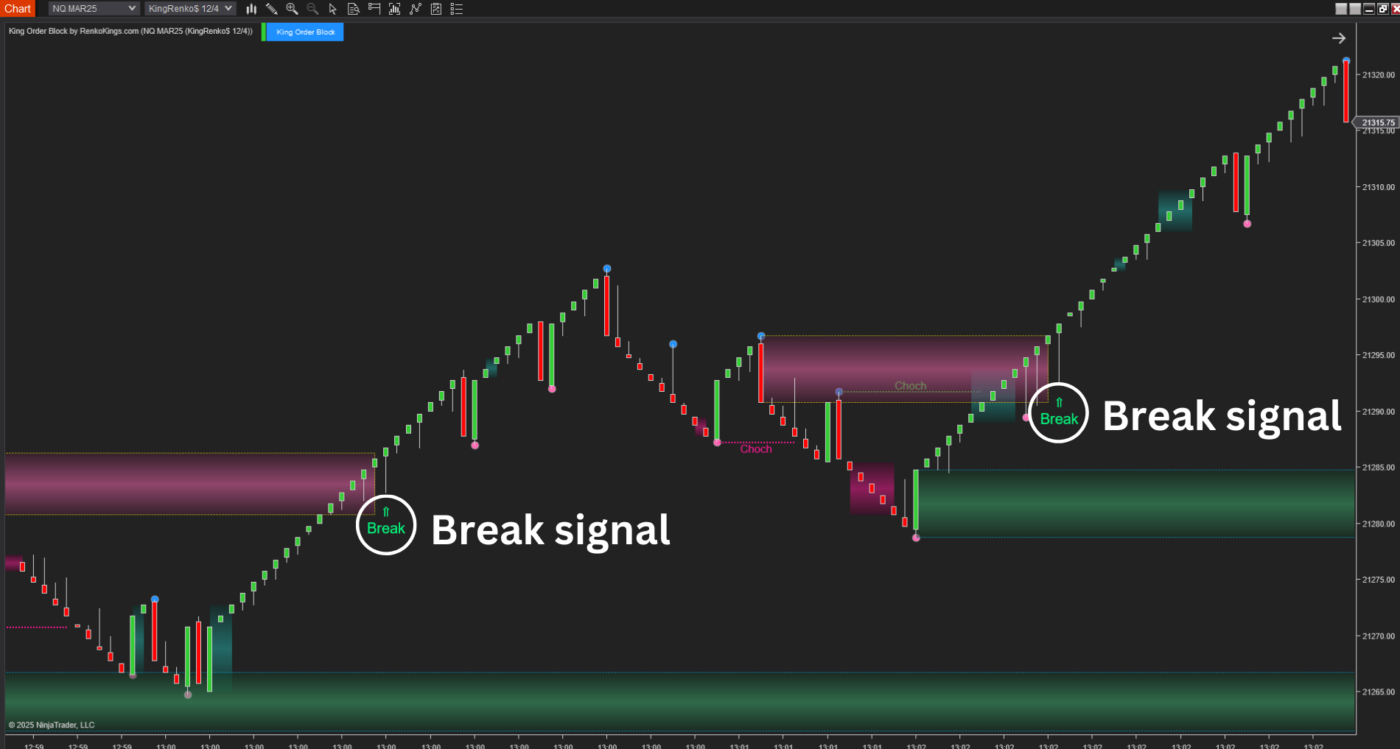
Order Block structure from King Order Block
King Order Block is designed around Renko charts, using their reduced market noise to identify Order Block zones more clearly.
Its process starts with imbalance detection, then evaluates BoS or CHOCH, identifies the relevant swing point, forms the Order Block, and generates either a Return or Break signal for that zone. Only 1 signal type is generated within a given Order Block.
In this workflow, those Order Blocks provide the structural area that can be evaluated alongside the FVG information from ICT PhantomTrace.
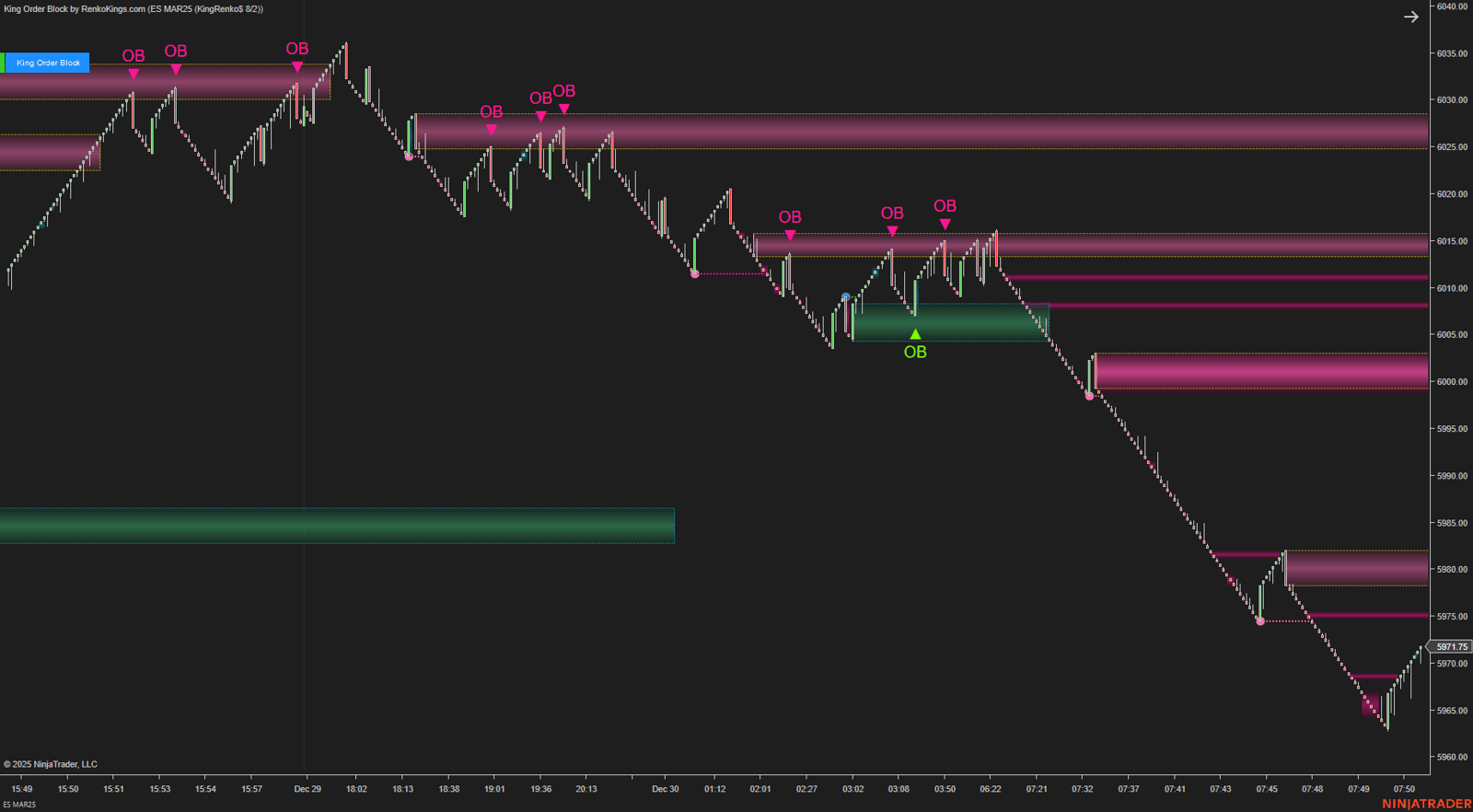
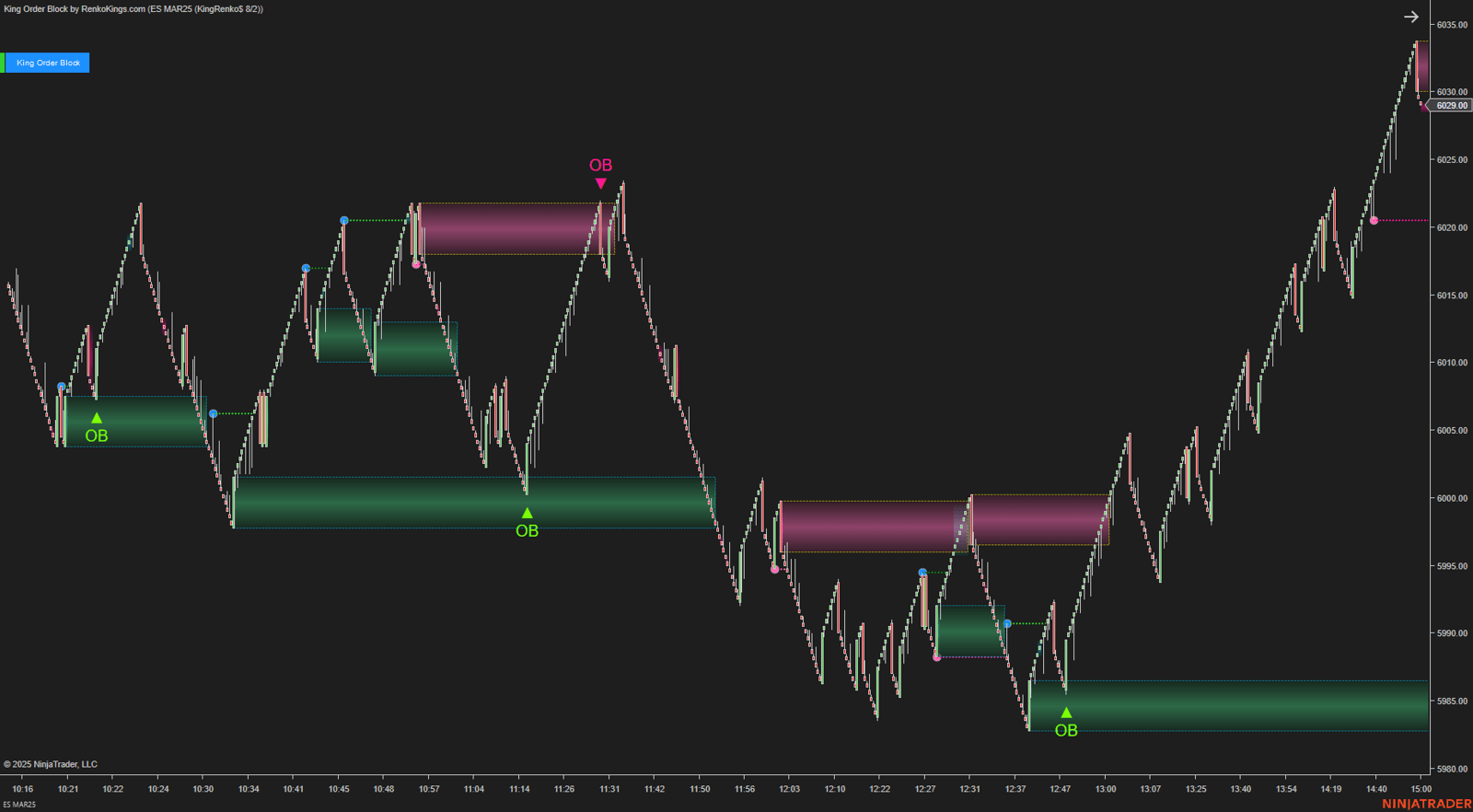
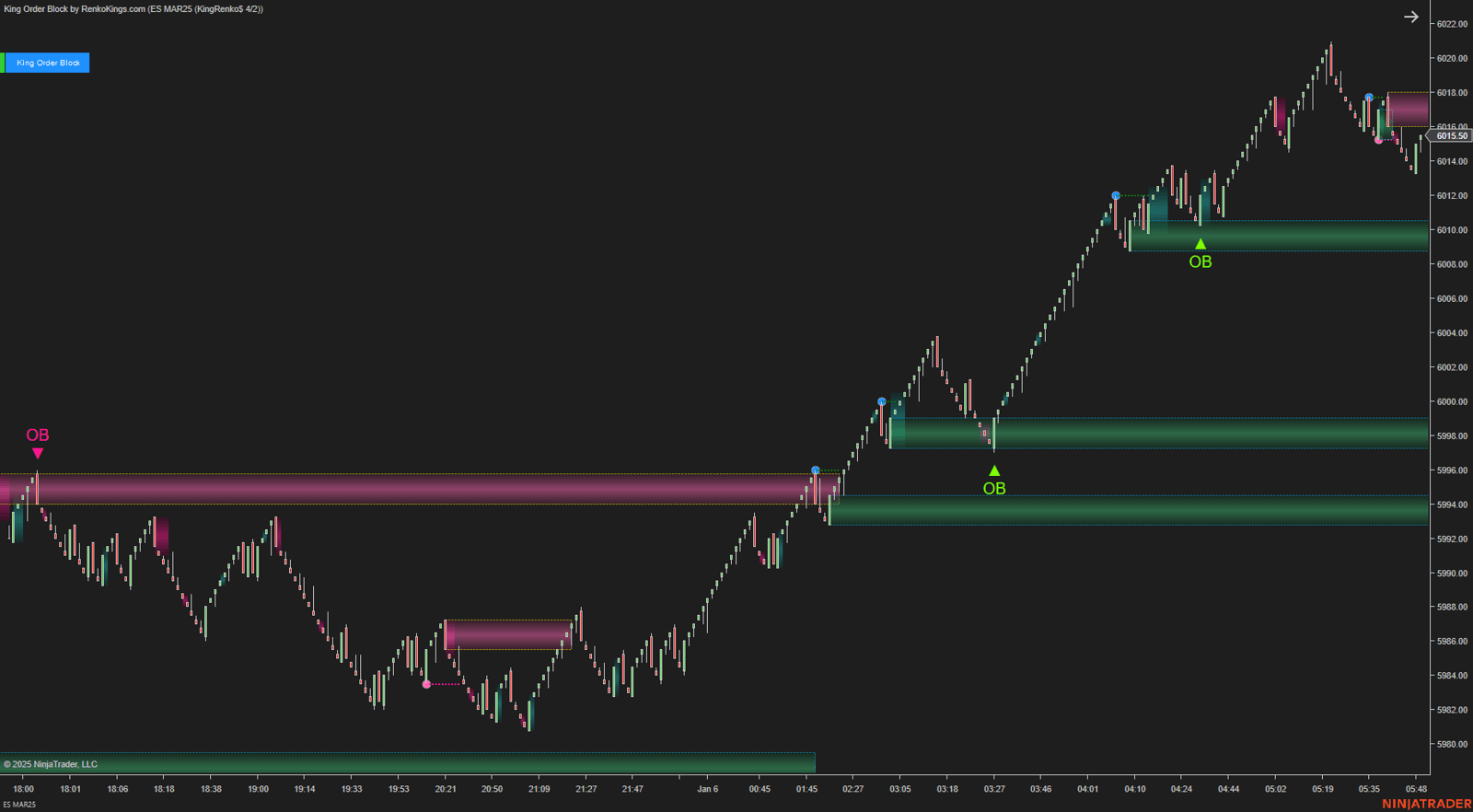
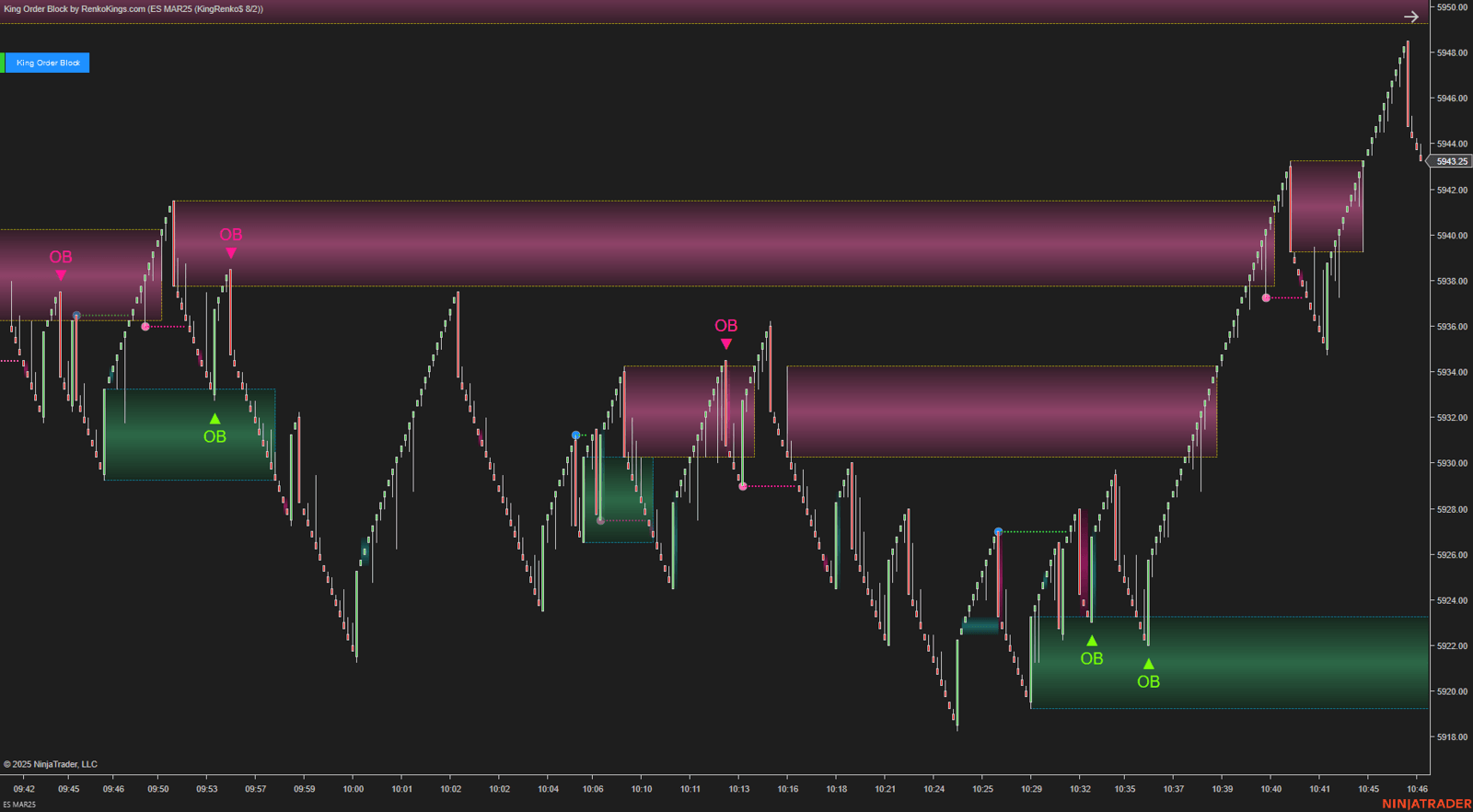
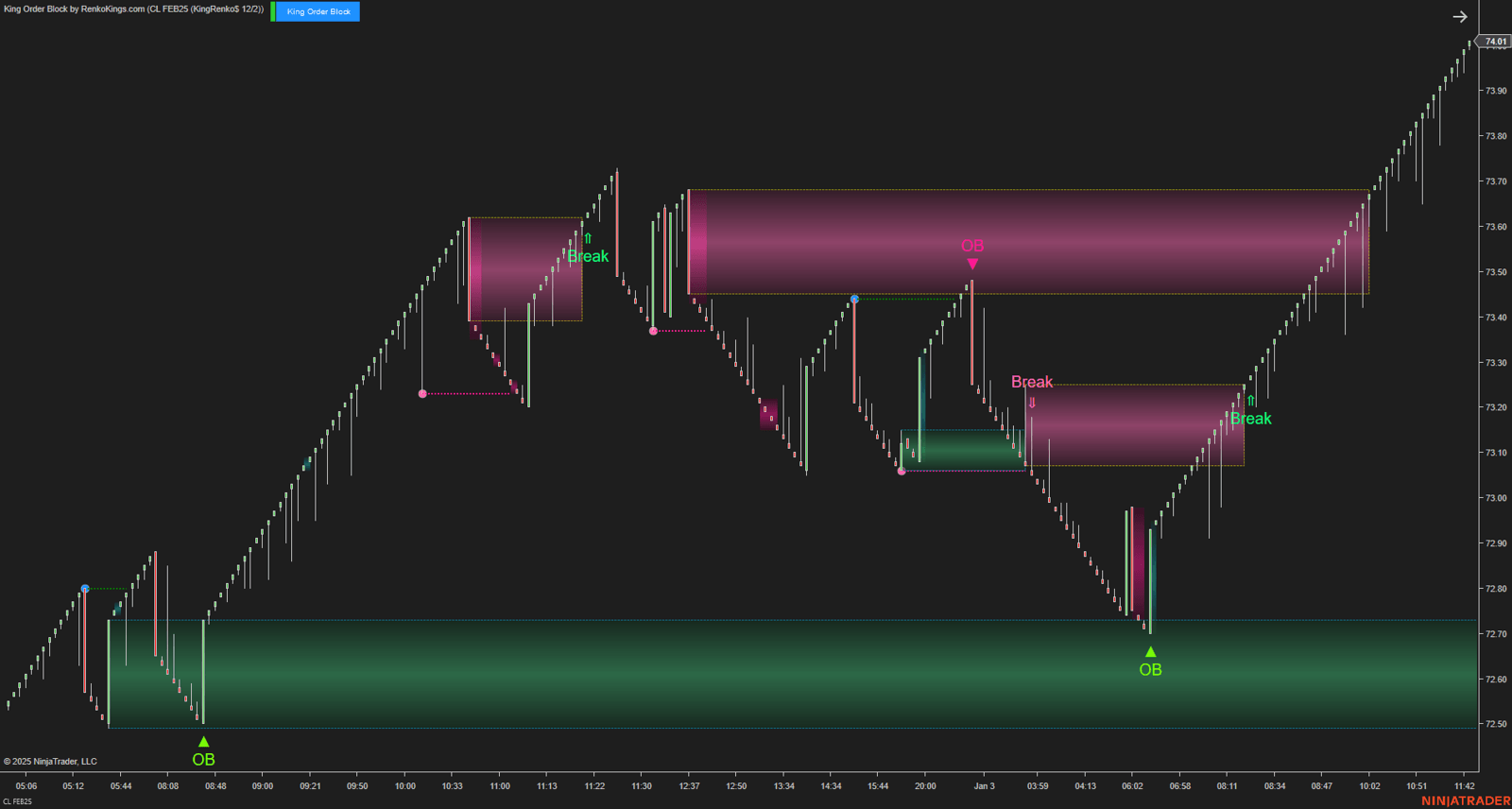
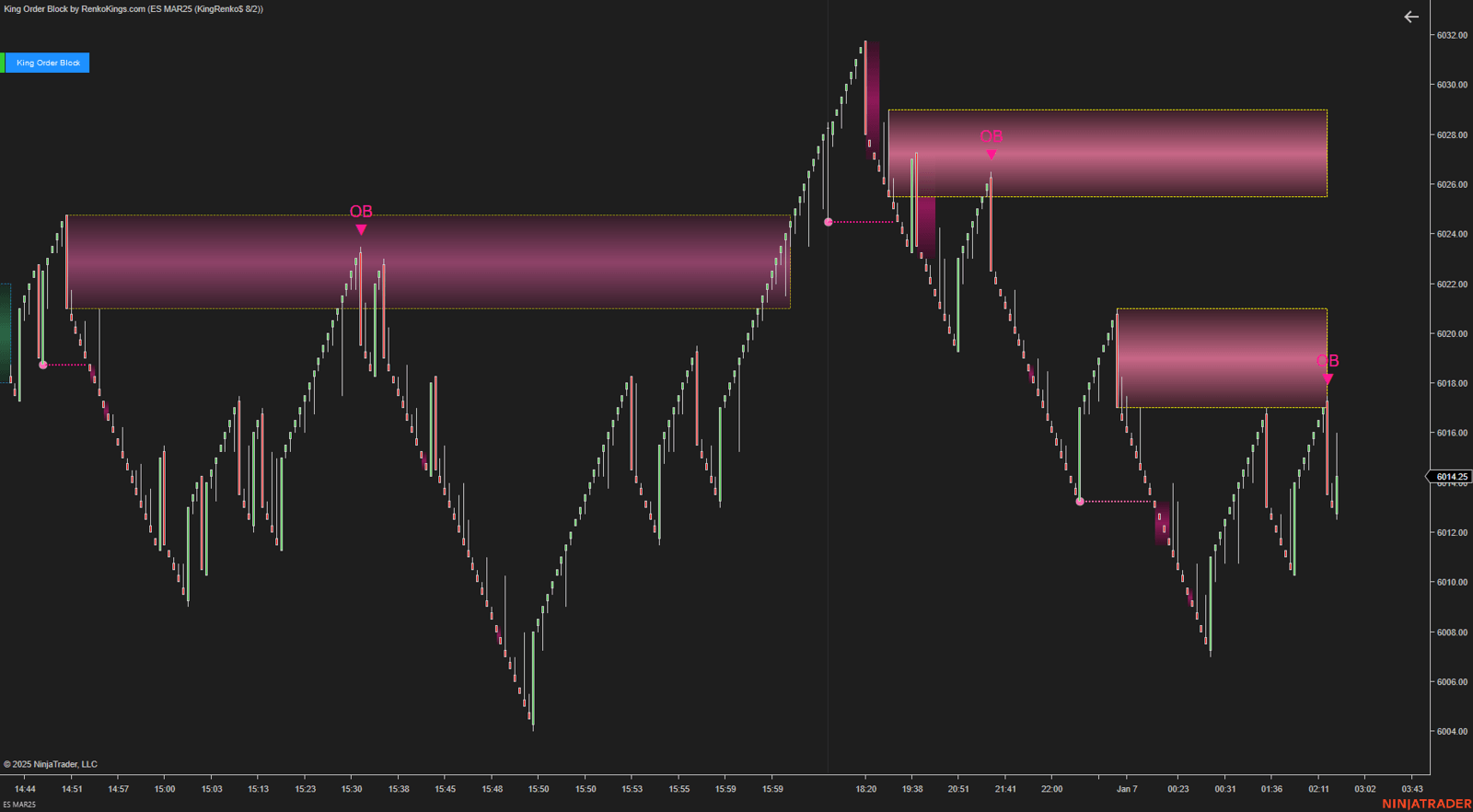
A more selective way to evaluate entries
The value of the combination is not that both indicators need to produce the same type of signal.
Instead, each tool contributes a different part of the setup. One identifies the area first, and the other provides the signal when the second condition develops nearby.
This gives you a defined process for evaluating confluence between ICT liquidity behavior and Renko-based Order Block structure without turning the 2 indicators into a single automated trading system.
Trade management
For stop placement, use the relevant FVG or Order Block extreme depending on which of the 2 setup paths is active.
Profit targets can be managed according to an R:R ratio that fits your approach or your own target expectations.
Investment
[Abs] ICT PhantomTrace + King Order Block
Product value: $1,100
Ready-to-Buy investment: $400
Zaccess: Supporting traders when it matters most
25% of the selling price
Current investment with Zaccess: $300
Related products
Sale!
![[Package] Lion King$ Trading](https://renkokings.com/wp-content/uploads/Lion-King-Trading-Avatar-RenkoKings.png)
Sale!

Sale!

Sale!

Sale!
![[System] V-Elementra](https://renkokings.com/wp-content/uploads/V-Elementra-avatar-Renkokings.png)
Sale!
![[Package] Smart Dolphin Trading](https://renkokings.com/wp-content/uploads/Smart-Dolphin-Trading-Avatar-square-1-500x500.png)
Sale!

Sale!

![[Abs] MEO #26: ICT PhantomTrace + King Order Block](https://renkokings.com/wp-content/uploads/king-order-block-ict-phantomtrace-gdfhsdcasdasfasgsdg-100x100.png)